
Talk To Your Data (Preview) - Configuration
Once the backend is running and the Talk To Your Data interface is accessible, follow these steps:
1. Log in
Use your administrator credentials to log into the Talk To Your Data Web User Interface.
2. Navigate to Settings
Go to Settings → Admin → Models:
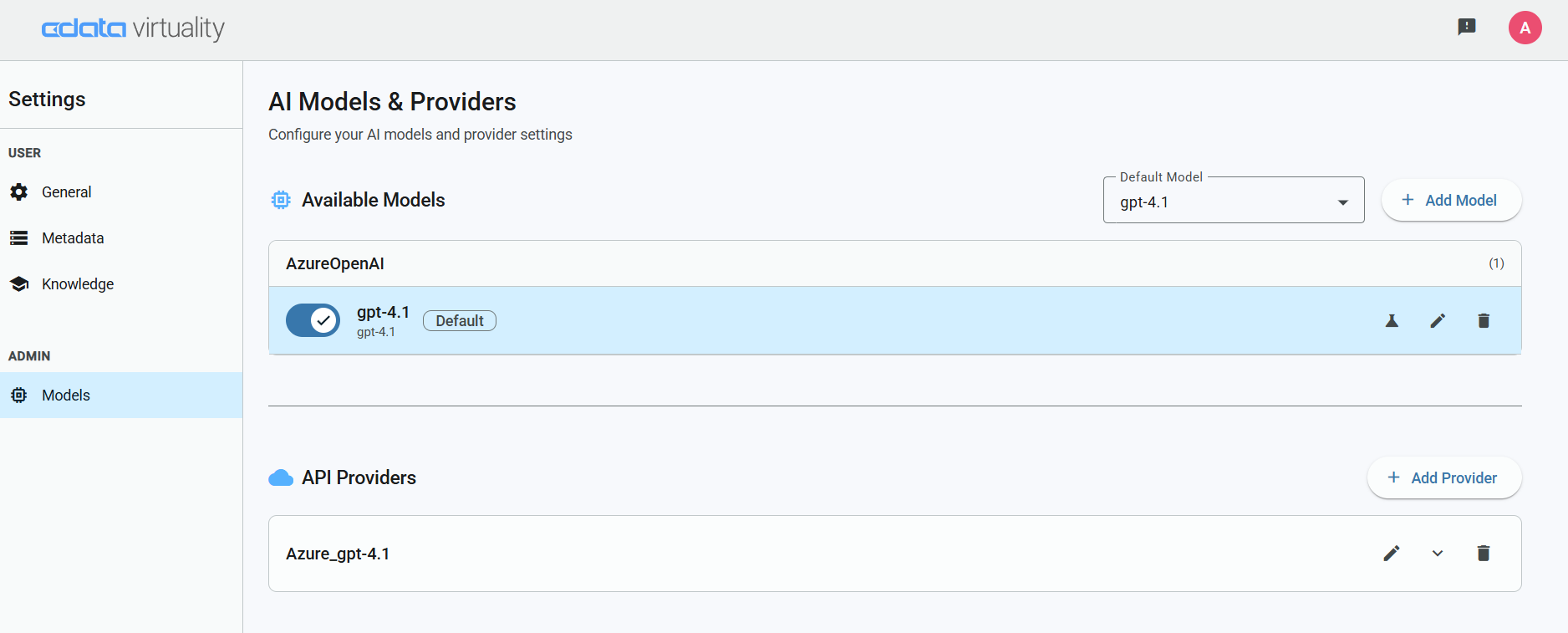
AI Models & Providers settings
3. Add API Providers
Before adding any models, go to API Providers and add your required AI providers (for example, AzureOpenAI). This typically includes setting a valid endpoint URL and API key:
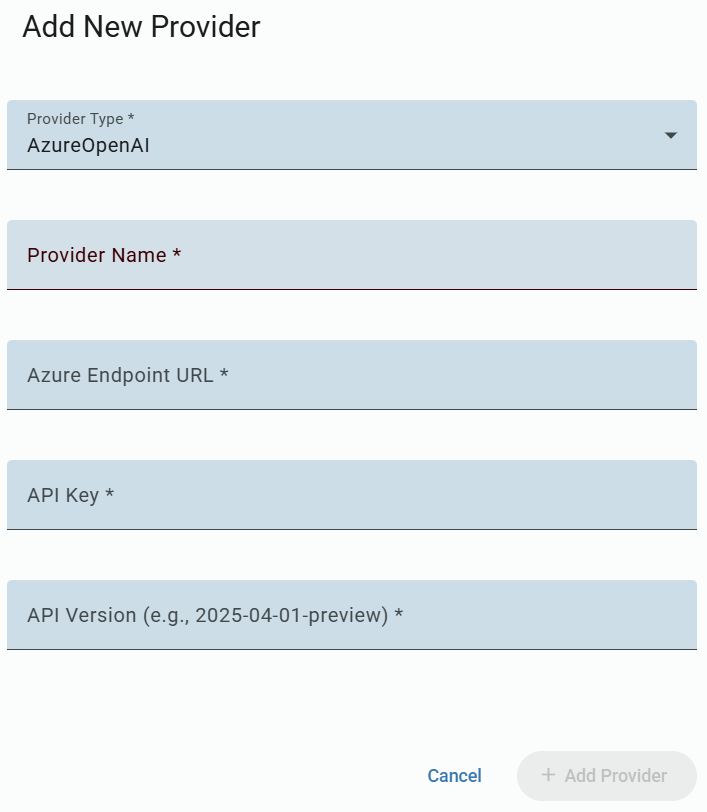
Add API Provider dialog
4. Add Models
Click Add, select the provider and specify required model, save the configuration:
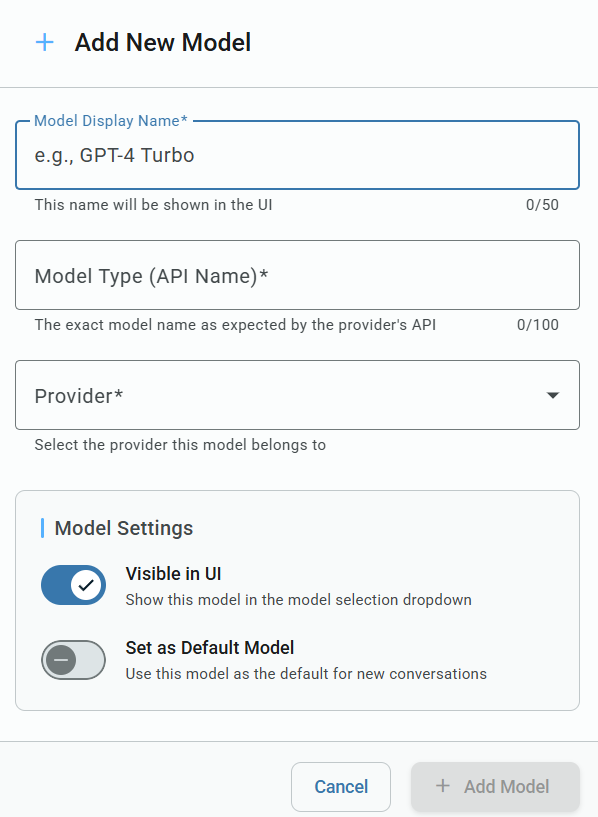
Add New Model dialog
5. Add Model for Embeddings
Click Add Embeddings Model, configure by providing its URL and API key under the same API Provider setup. This model is used to process and interpret user questions.
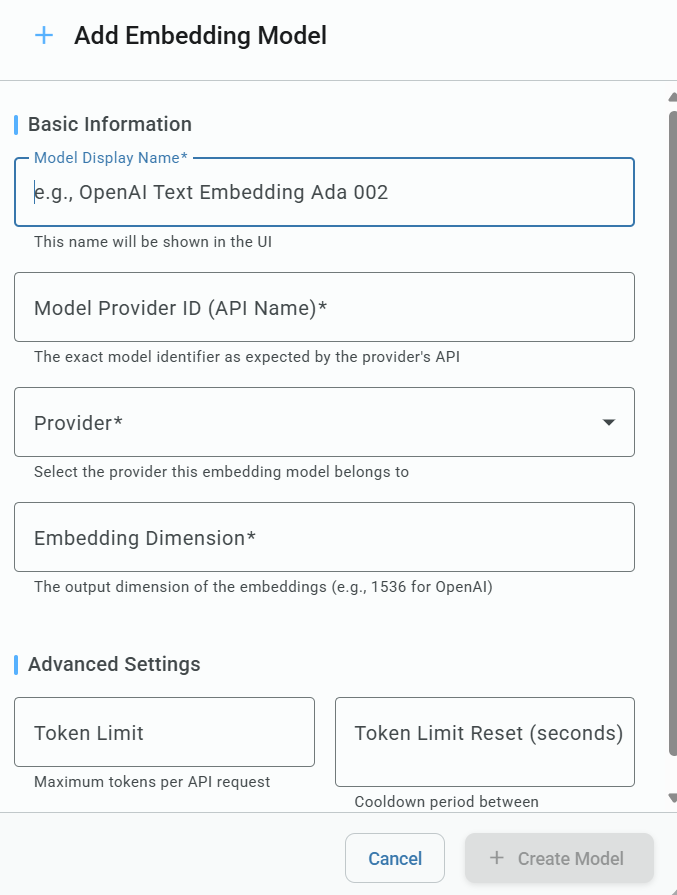
Add Embedding Model dialog
6. Ready to Use
Once all models are configured, you can begin interacting with your data using natural language.
Make sure that appropriate access permissions are granted to the user for any data sources, views, or tables that should be available through the interface. Without proper permissions, the AI will not be able to query or return results from the intended data.