
Time Zone Awareness for Jobs
The CData Virtuality Server provides the mechanism for defining the time zone in which a scheduled job is to be run which is particularly handy for multinational companies. This mechanism also takes care of the switch to and from the daylight saving time.
When adding a user, the administrator sets the time zone as part of the SYSADMIN.addUser procedure. For an already existing user, time zone can be specified using the SYSADMIN.setUserTimezone procedure.
If you are a user and are using the Web UI, you can change the time zone of your account by going to your account’s settings → Account Information → Time Zone:
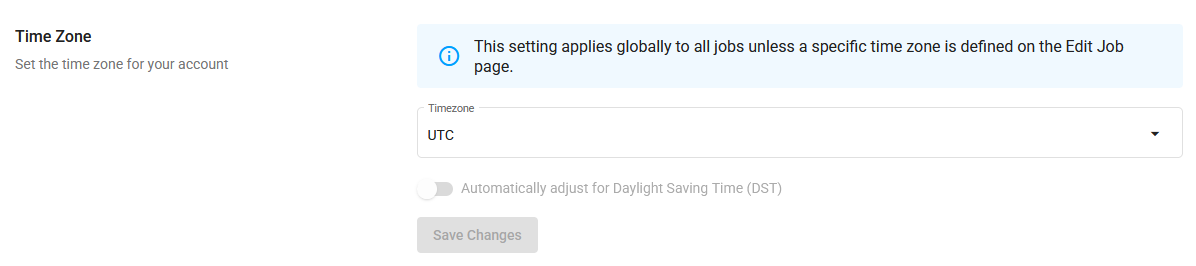
The time zone setting in included in the SYSADMIN.createSchedule and SYSADMIN.updateSchedule stored procedures, and it can also be set when creating or changing a job in the Web UI.

Schedules without an explicitly specified time zone will run in the time zone of the user who owns them. If that user does not have a time zone set, the schedules will run in the server’s time zone.
To change the time zone for a job, go to the Jobs page in the Web UI, select the job you want to change, and click +Manage Schedules:
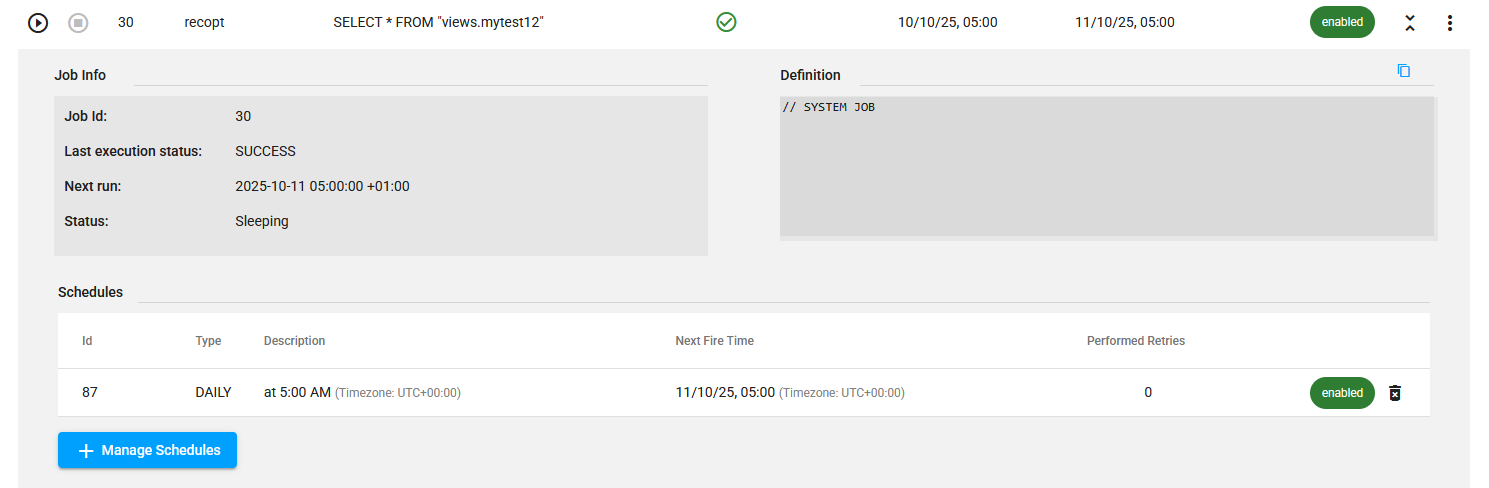
In the left part of the screen, you will see the current details of the schedule, and in the right part, the options to change it, including the time zone:
The job-specific setting will override the general time zone settings and the user’s time zone settings.